What is Sovereign?
How your private Sovereign brain and iPhone work together.
Sovereign is your private AI companion. It is not a public chatbot in the cloud.
Today’s usual setup: Sovereign AI Brain software on a machine you control (download from your Account), plus Sovereign Remote on iPhone 15 or newer. You talk through Crypto Chat — a private encrypted conversation on your network that public AIs do not offer.
Some customers also receive a compact appliance (MSI Cubi) that arrives ready to plug in. Software install and appliance kit both run the same Sovereign brain idea.
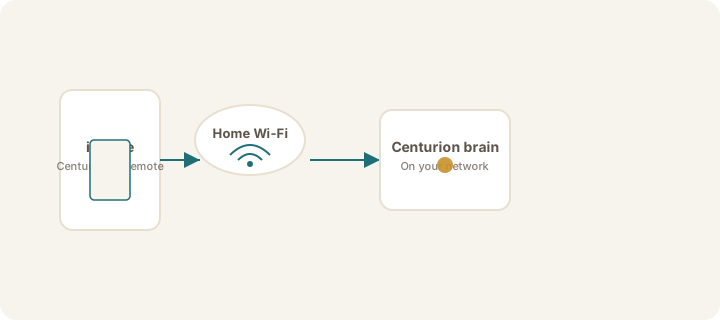
What you get
- Sovereign Remote on iPhone (15 or newer) — Crypto Chat with your Sovereign, see your mission, link securely
- Your Sovereign brain — where your Sovereign thinks, remembers your setup, and holds API keys for thinking services (Linux software via Account → Get Brain, or a preconfigured appliance if that is your kit)
- Centurion Account — magic-link sign-in for downloads and license status (separate from Crypto Chat)
Coming soon
- Windows and Apple Brain installers on Get Brain (Linux is available now)
- NVIDIA DGX Spark as a future Sovereign brain — announced only; no customer setup until released
What makes it different
- Crypto Chat — encrypted conversation on your network; public AIs have no equivalent
- Runs on your network, not a shared public AI service
- You choose the thinking service (which model answers) — keys stay on the brain, not on your iPhone
- Adrian (in the app and on this help site) can guide you — separate from Crypto Chat with your Sovereign
Note
Account / license, device link / Crypto Chat, and thinking service are separate ideas. See Device link vs thinking service and Sign in to your Account.
When you're ready, continue with What's in the box or Download and install.
Was this article helpful?