First 15 minutes
From Account download (or power-on) to your first Crypto Chat message.
Updated August 2, 20261 min read
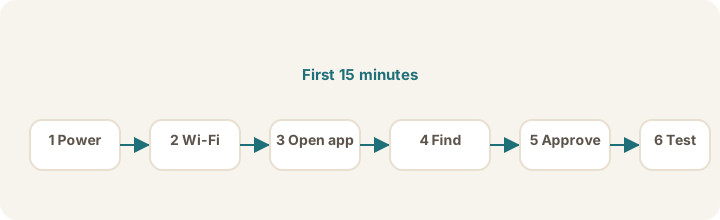
Steps
- Sign in to your Account with a magic link (no password).
- Install Brain — Download and install (Smooth Transfer), or power on a physical appliance and follow Brain setup.
- Activate your license with the activation code from your advisor (Brain Settings → License).
- Connect your iPhone to the same Wi‑Fi as the brain (or use Tailscale).
- Open Sovereign Remote → complete welcome screens if shown.
- Go to You → Your link → Find my Sovereign → tap your Sovereign when it appears.
- Approve your iPhone on the brain if prompted — see Approve your iPhone. The pairing security code is not your license activation code.
- Go to You → How Your Sovereign Thinks → choose a thinking service or confirm one is active.
- Open Chat and send a short test message.
If anything fails, note whether the problem is Account / license, link, or thinking and open the matching article.
Tip
Keep the app screen open while linking. Closing it too soon can interrupt the connection.
Was this article helpful?